Submit to SHEARS with a spreadsheet, not a keyboard.
ShearLogic turns enrollment, hours, and drop reporting into a simple CSV upload. Built for cosmetology school owners and administrators in Texas.
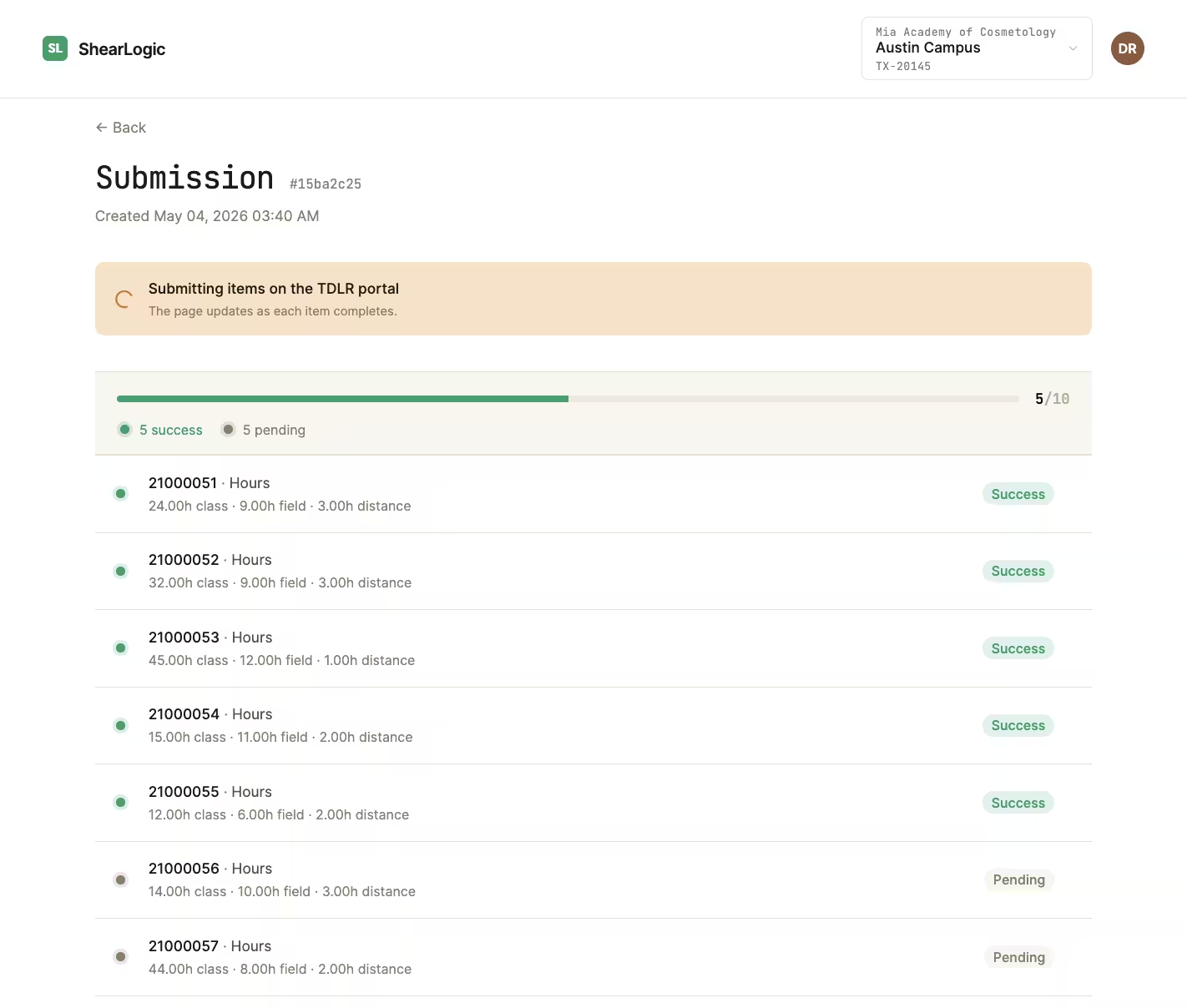
Three steps. One submission window.
Replace the click-and-type ritual at the SHEARS portal with a workflow your front-desk team can run in the time it takes to brew a pot of coffee.
Export from your SIS.
Pull enrollment, hours, and drops as CSVs from your student information system — or download our template and fill it in. Most schools already have these reports.
Drop the files into ShearLogic.
We validate every row against SHEARS's field rules, flag anything off, and let you fix it inline before it's ever submitted. Bad data never reaches the state.
Submit to SHEARS. Keep the receipt.
One click sends the file. ShearLogic stores the submission, the confirmation, and all the details — every cycle, indefinitely.
The three reports SHEARS actually wants.
ShearLogic covers the recurring filings every Texas cosmetology school is required to submit. Same fields, same validation rules, same submission endpoint — just nothing typed by hand.
Enrollments
New students added during the reporting cycle, with program, start date, and contracted hours.
Hours
Clock hours per student per program. Validated against contract maximums and SHEARS's per-day limits before anything is sent.
Drops
Withdrawals and program transfers, with final hours report and drop date.
The SHEARS portal wasn't built for the person filling it out.
You know the drill: one student at a time, one tab per record, one timeout away from starting over. ShearLogic was built around the spreadsheet you already keep.
- — Open the portal, log in, re-log in when it kicks you out.
- — Locate each student in a paginated list. Click into the record.
- — Type seven fields. Tab through three more. Save. Repeat.
- — Lose your place when the session expires mid-cycle.
- — Hope nobody mistyped a license number — there's no audit trail.
- + Drop one CSV per report type into the upload zone.
- + Review row-level validation. Fix anything inline.
- + Submit the whole cycle in a single click.
- + Get a timestamped confirmation, archived per campus, forever.
- + Look up any past submission in seconds — by campus, date, or student.
Plans start at $79 / month.
All three report types. Multi-campus pricing available.
Things owners and administrators usually ask first.
Is ShearLogic an official TDLR product? +
What does my SIS need to export? +
What happens if a row fails validation? +
Can multiple campuses share one account? +
How is my student data secured? +
What happens after my free trial? +
Student records get the same care as your bank statements.
Cosmetology school data is sensitive: names, addresses, license numbers, hours toward certification. We treat it accordingly — encryption, scoped access, and an independent audit on the calendar.
-
Bank-grade encryption, end to end. Every byte is encrypted in transit with TLS 1.3 and at rest with AES-256. Keys are rotated on a fixed schedule and managed by a dedicated KMS — the same standard your payroll provider uses.
-
Sensitive data only stays as long as we need it. Full Social Security numbers are encrypted at the field level while we use them for SHEARS filings, then automatically purged once the submission lands — we keep only the last four digits for trace. Less data stored, less risk on you.
-
Row-level audit log, kept indefinitely. Every row carries a record of who uploaded it; every submission carries a record of who created it, every status change, what each row validated to, and when it landed at SHEARS. If TDLR ever questions a past filing, the receipt is one click away.
US-hosted, encrypted everywhere.
Try the next reporting cycle on us.
Set up your campus in five minutes. File your next submission with ShearLogic. If it doesn't save you the better part of a day, cancel before day fifteen.